
Creative Design, Powerful Visuals, Real Results.

Let's Talk

Creative Design, Powerful Visuals, Real Results.

Let's Talk

Photography Online Course Website Design – Shutter Mastery

Photography Online Course Website Design – Shutter Mastery

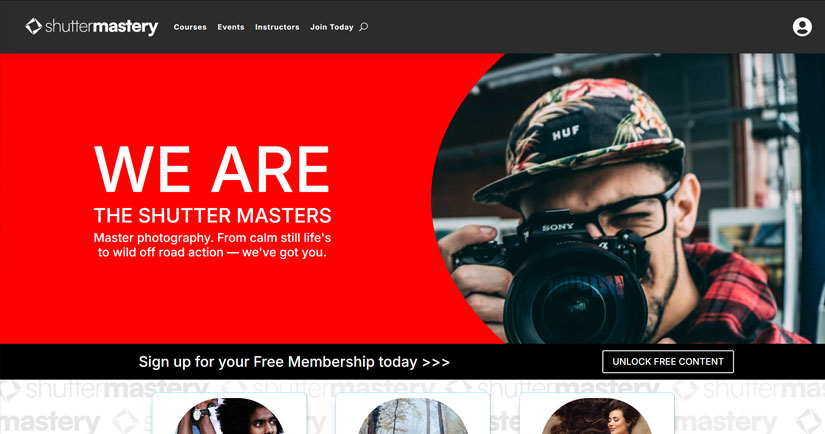
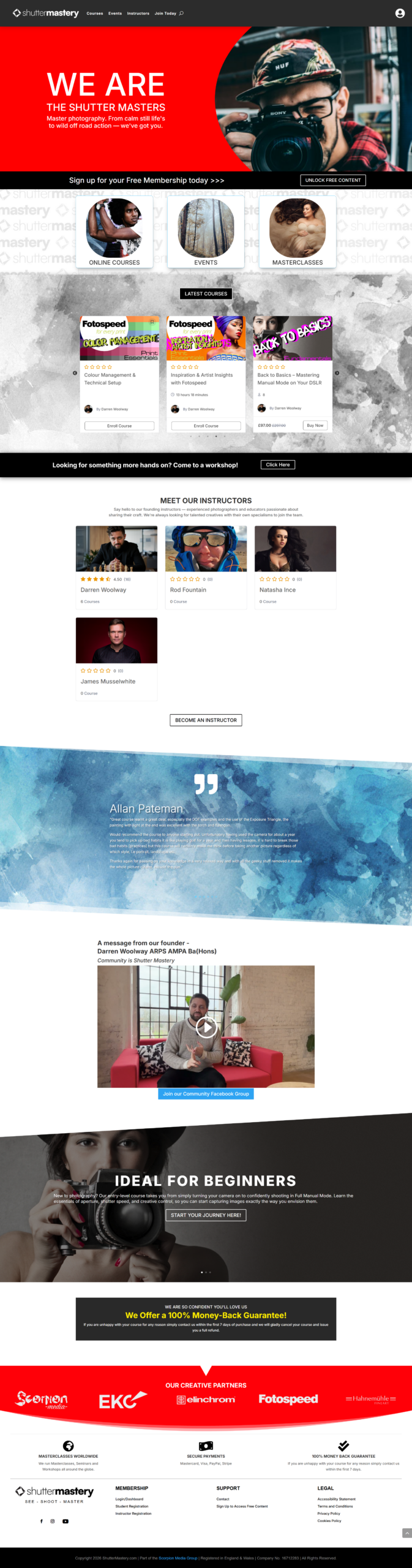
Shutter Mastery is a new online training platform for photographers, developed as part of the Scorpion Media Group. After several years teaching photography in person – including the highly successful Back to Basics course delivered to over 1,500 students in just three years – I began receiving many requests for an online version of the training.

Some students couldn’t attend due to travel distance, scheduling conflicts or geographic location, so the idea behind Shutter Mastery was born:
A complete online education platform where photographers can learn at their own pace from anywhere in the world.

The platform launched with the brand‑new online version of Back to Basics and is designed to grow into a library of photography courses from trainers all across the UK, eventually supporting live events, workshops, trade shows and international training opportunities.

Creating a Professional Photography Education Platform

The goal of Shutter Mastery was to create a platform that felt:

  • Modern
  • Premium
  • Easy to use
  • Interactive
  • Suitable for both beginner and advanced photographers

The website was developed using WordPress, Divi and Tutor LMS, providing a strong foundation for a scalable online learning platform capable of supporting thousands of students.
photography online course website

Back to Basics – Now Fully Online

The first course launched on the platform is the online version of Back to Basics, the signature training programme that originally made the teaching business so successful.

This course teaches complete beginners:

  • How to use their camera
  • How settings affect creative control
  • How to shoot confidently in Full Manual Mode
  • Composition and exposure fundamentals
  • How to understand and control light

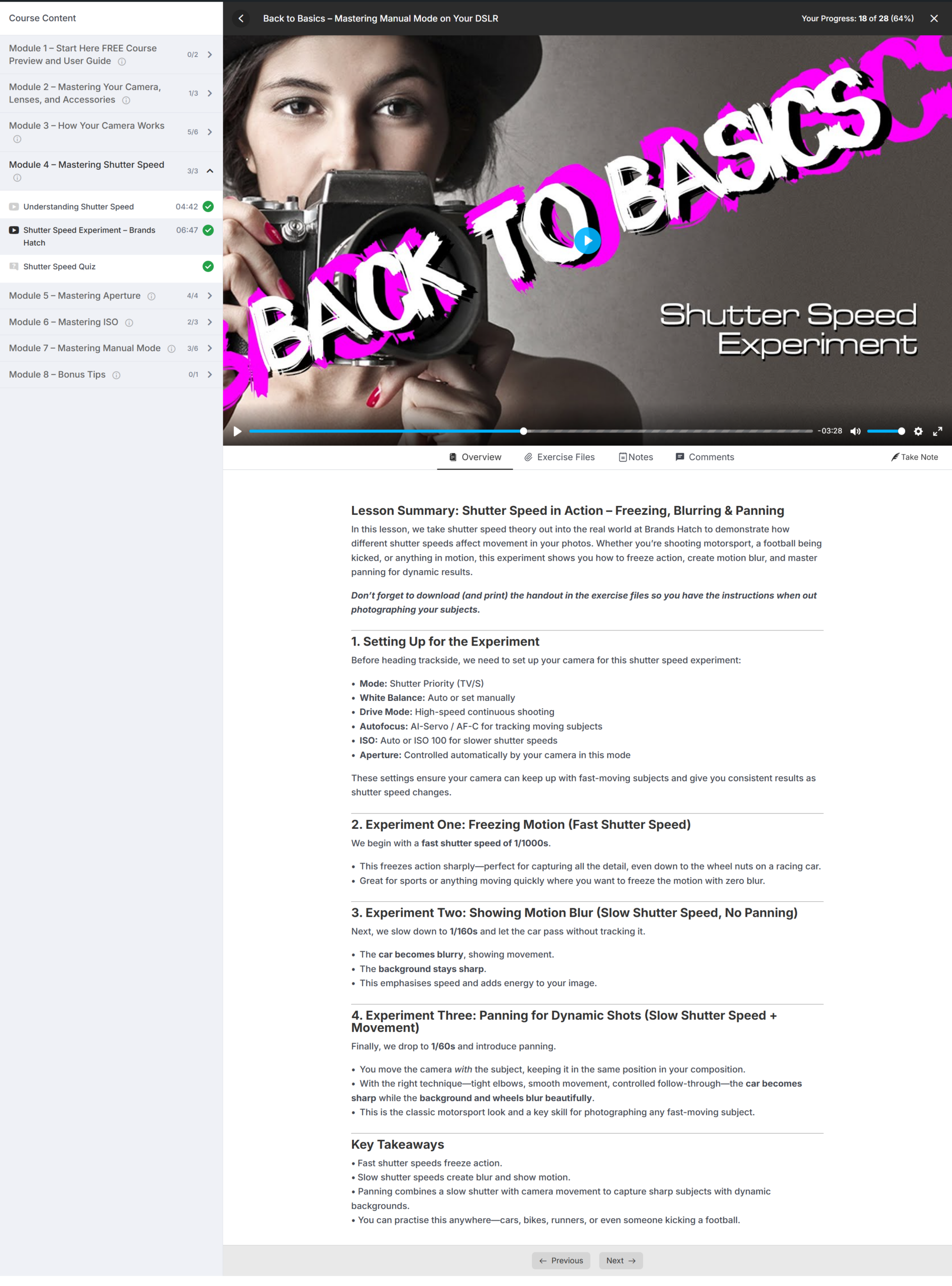
The online version recreates the in‑person experience through:

  • Interactive video lessons
  • Practice exercises
  • Experiments
  • Quizzes
  • A final certification exam

Students can now learn everything from turning their camera on to shooting confidently in manual mode — entirely online.

Built for Long‑Term Expansion

Shutter Mastery is designed as more than just a single course website.

It will become a platform where photographers from all over the UK can contribute:

  • Online courses
  • Workshops
  • Masterclasses
  • Guest sessions
  • Live seminars
  • Industry training events

This opens the door for collaborations with:

  • Professional photographers
  • Brands
  • Training educators
  • Exhibitors and trade partners

The website’s structure and branding were built to support this long‑term vision.
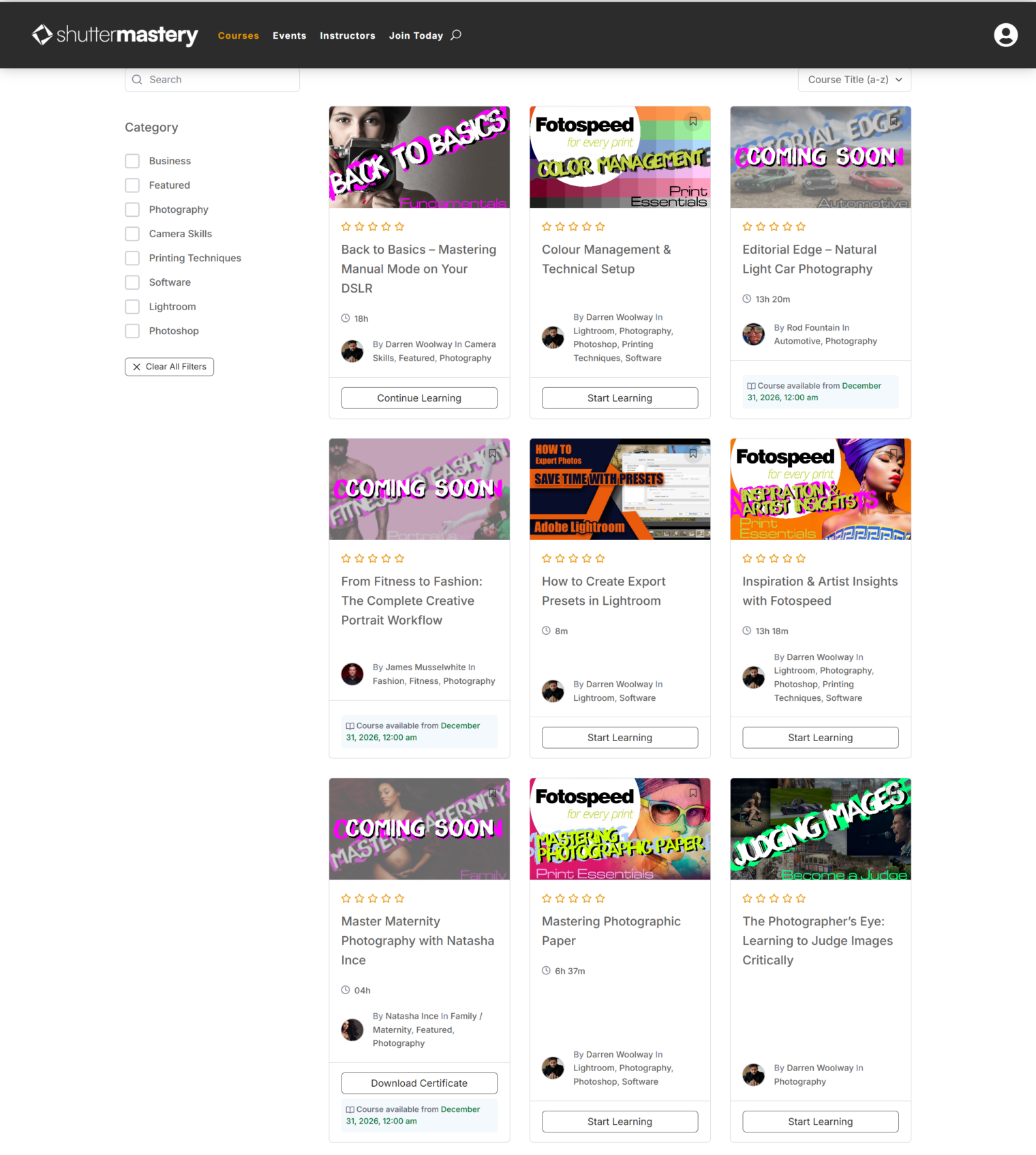
photography online course website

Powered by WordPress, Divi & Tutor LMS

To build a robust and scalable learning environment, the following tools were used:

WordPress

A flexible content management system that allows the site to expand as new courses and features are added.

Divi

Used for the visual layout, page design and responsive structure, allowing precise control of the branding and design elements.

Tutor LMS

A professional learning management system that powers:

  • Course modules
  • Interactive video delivery
  • Lesson progression
  • Quizzes and experiments
  • Certification
  • Student dashboards
  • Reporting & analytics

This combination creates an intuitive and professional online learning experience for students.

Interactive Learning Features

A key part of the project was ensuring the learning experience felt interactive and engaging, especially for visual learners such as photographers.

The site includes:

  • Interactive video lessons
  • Hands‑on experiments to reinforce learning
  • Quizzes throughout the course
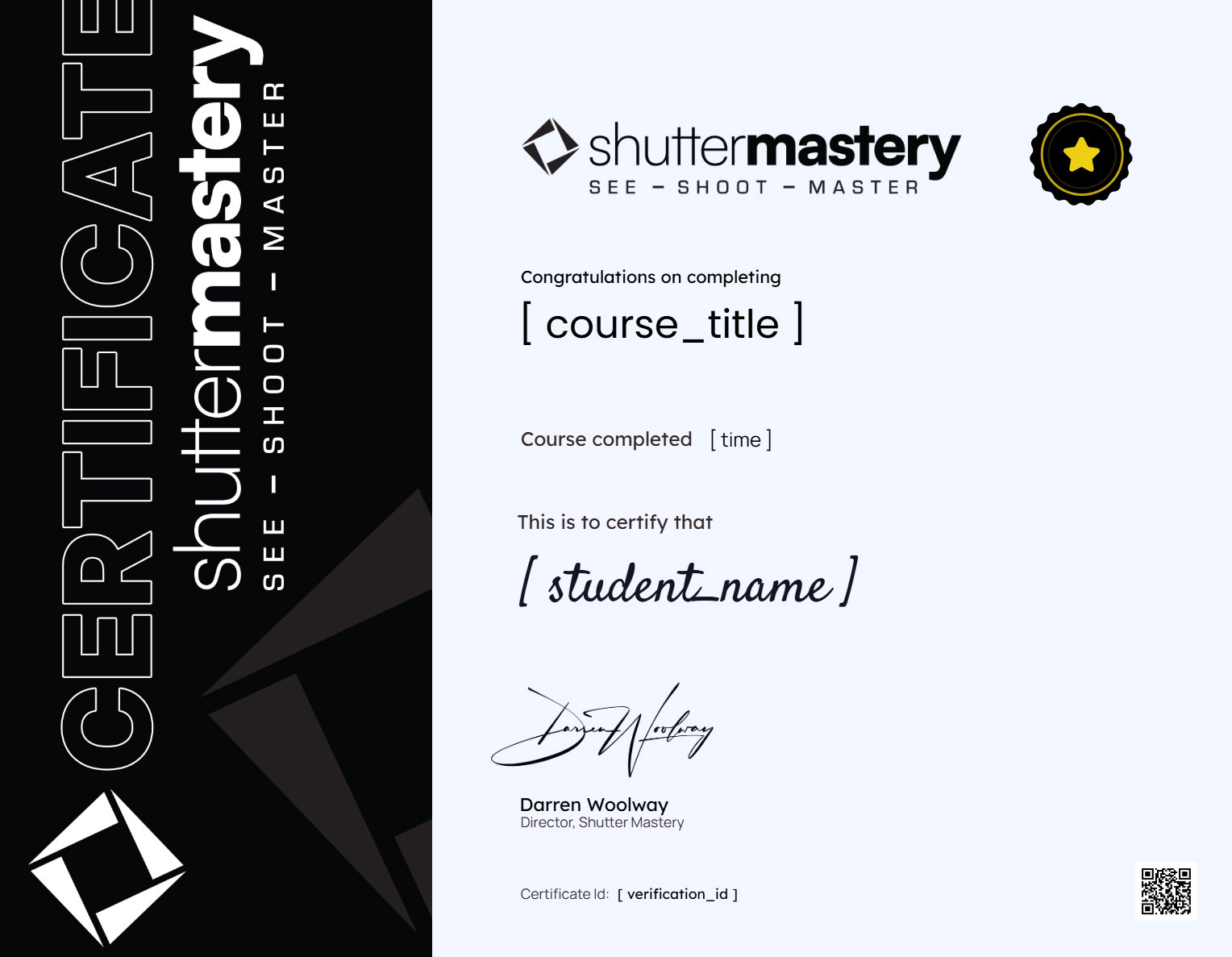
  • A final certification upon completion
  • A secure student dashboard
  • Course progress tracking

This helps bridge the gap between in‑person and online learning.
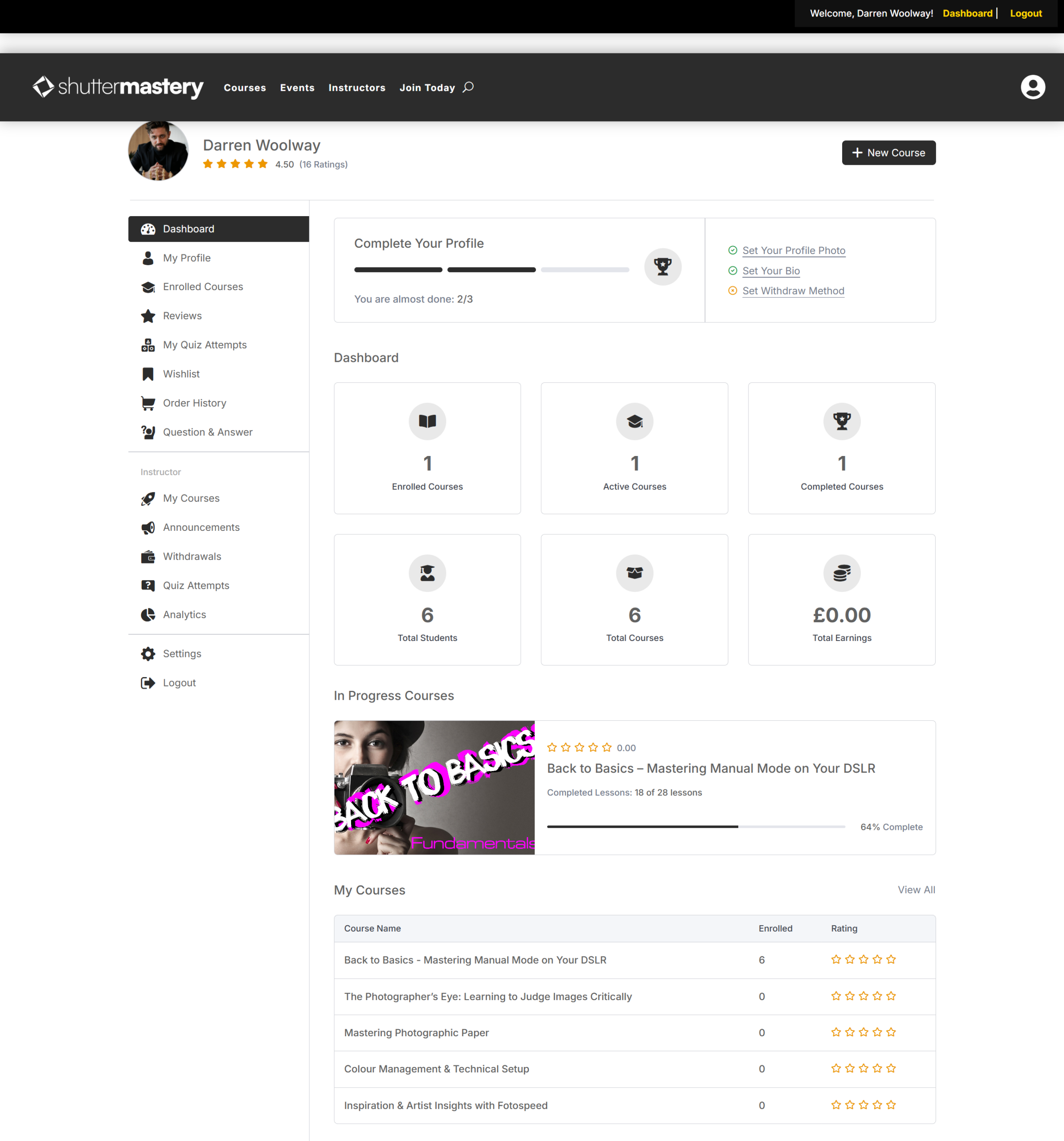
photography online course website

Industry Support & Brand Partnerships

Shutter Mastery has launched with the support of several major names in the photography industry, including:

  • Elinchrom
  • Photospeed
  • Junction 11
  • Adobe

These partnerships reinforce the platform’s credibility and help support long‑term growth, collaborations and future educational events.

photography online course website

Branding, Web Design & Production

I was responsible for every aspect of the project, including:

This cohesive approach ensures the platform feels consistent, professional and visually aligned with the needs of photographers.

My Role in This Project

I handled all parts of the project including:

  • Website design and development
  • Branding and visual identity
  • Video production
  • Tutor LMS integration
  • Course structure and interactive features
  • Graphic design elements
  • Long‑term platform planning

Technologies Used

  • WordPress CMS
  • Divi Page Builder
  • Tutor LMS
  • Custom video production
  • Quizzes and certification system
  • Interactive course layout

Online Computing Course Website Design – Success Computing

Online Computing Course Website Design – Success Computing

Success Computing was created as a sister company to Success Tuition and Training Centre (STTC) in Maidstone. While the tuition centre focuses on 11+ and GCSE students, the classroom facilities remain unused during the daytime.

To make better use of the space, the business expanded by launching Success Computing, a training platform designed to deliver daytime computing courses for adults and professionals looking to upskill or complete CPD training.

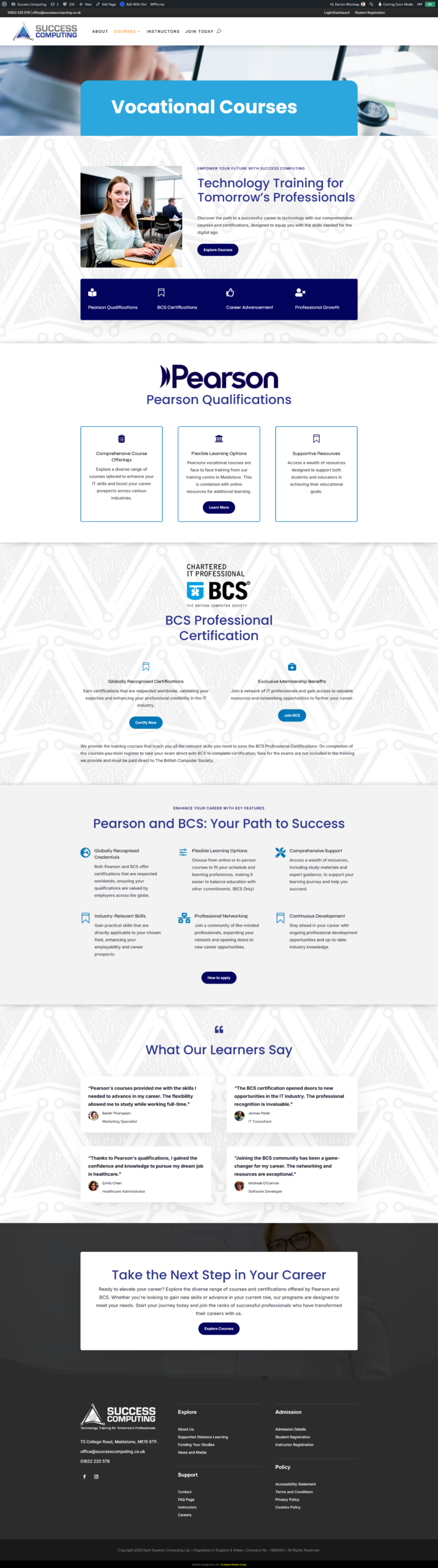
To support the new venture, I designed and developed the Success Computing website, creating an online platform that could promote computing courses while also delivering digital learning content.

Expanding an Education Business

The idea behind Success Computing was to expand the training centre’s offering to a new audience.

While the existing tuition centre supports school students in the evenings and weekends, the new platform focuses on:

  • Adult learners
  • Professionals looking to improve digital skills
  • Continuing Professional Development (CPD)

This allowed the business to maximise the use of its facilities while providing valuable training opportunities for the local community.

online computing course website

WordPress Website with Online Learning Platform

The website was built using WordPress, following a similar structure to the Success Tuition website so that both platforms maintained a consistent user experience.

However, while the tuition website primarily acts as a revision resource library, the Success Computing platform focuses more heavily on delivering structured online courses.

Using Tutor LMS, the website allows students to access course materials and training resources through a dedicated learning system.

Key features include:

  • Structured course modules
  • Video lessons and resources
  • Online learning dashboard
  • Student access management
online computing course website

Supporting Adult Learning and CPD

The Success Computing website was designed to support a variety of professional and adult learning courses, allowing learners to develop new digital skills.

These types of training courses are particularly useful for:

  • Professionals looking to improve computer skills
  • Individuals returning to education
  • People completing CPD training

By offering both in‑person sessions and online course materials, the platform provides flexible learning opportunities for students.

online computing course website

Creating a New Brand Identity

Because Success Computing is closely linked to Success Tuition and Training Centre, the branding needed to feel connected while still establishing a clear identity for the new business.

As part of the project, I designed the Success Computing logo, ensuring it visually complemented the existing STTC branding.

The design incorporates three elements surrounding the icon, representing the idea of chasing success and continuous progress.

This approach creates a strong visual link between the two brands while giving the new company its own identity.

A Template for Future Educational Platforms

The structure developed for the Success Tuition website provided a strong foundation for the Success Computing platform.

By building the websites with a similar structure and technology stack, the two platforms maintain:

  • Consistent branding
  • Similar user experience
  • Shared technical foundations

This approach allows the business to expand its training services more easily in the future.

My Role in This Project

For this project I was responsible for:

Technologies Used

  • WordPress CMS
  • Tutor LMS
  • Responsive website design
  • Online course platform
  • Logo design and branding

Online Training Website Design – Success Tuition & Training Centre

Online Training Website Design – Success Tuition & Training Centre

Success Tuition and Training Centre in Maidstone, Kent provides tutoring and educational support for students looking to improve their academic performance. The business is run by Youssouf Adama, one of the earliest clients of Scorpion Media.

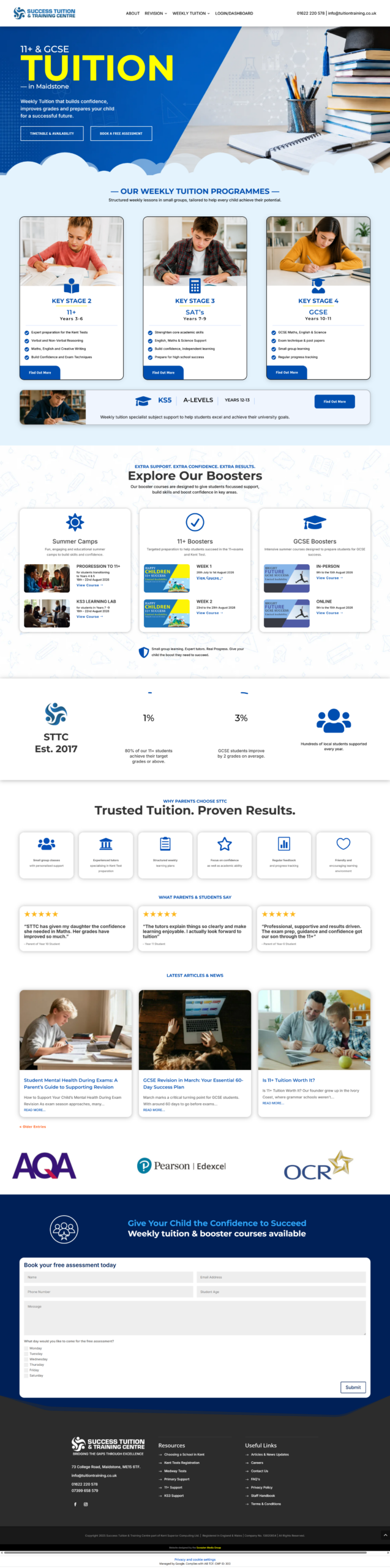
This project represented the third version of the website, developed to support the growth of the business and introduce a new online learning platform.

The goal of the redesign was to modernise the website, ensure it met current accessibility standards, and introduce an online training system that would allow students to access course materials and recorded lessons.

Modernising the Website

As the business expanded, the previous website needed updating to ensure it remained modern, accessible and capable of supporting new features.

The redesign focused on:

  • Updating the overall visual design
  • Improving usability across mobile and desktop devices
  • Ensuring the website complied with modern accessibility standards
  • Preparing the platform for future expansion
  • Updating the logo from a Serif to a Sans-Serif font for better readability
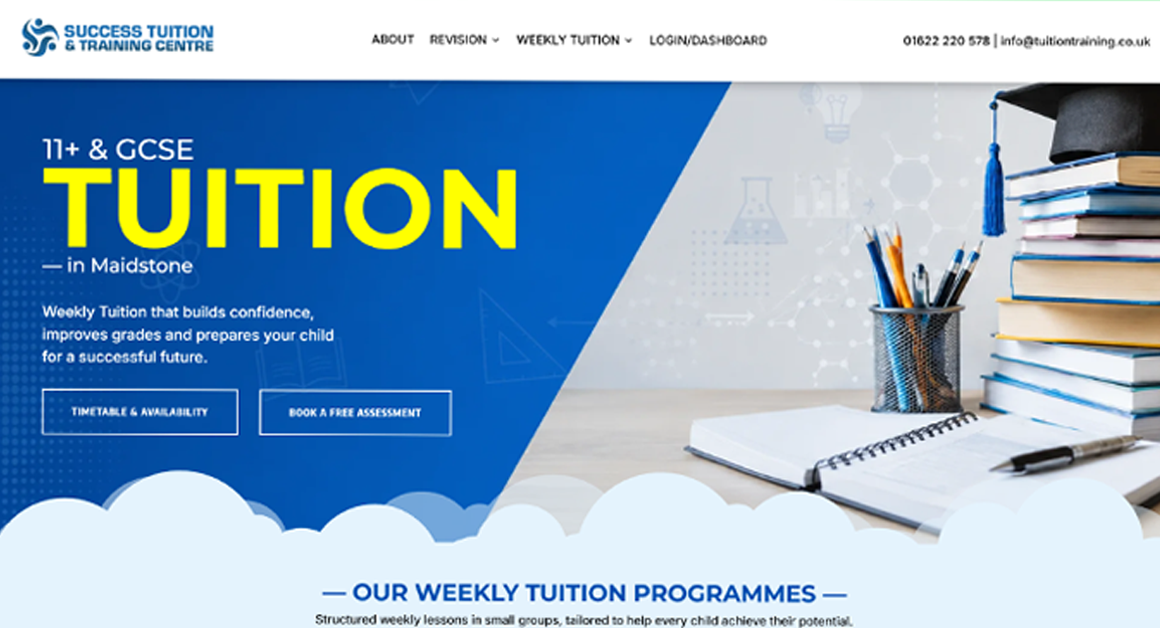
  • A clear CTA to get visitors to book a free assessment

The new website provided a fresh and professional online presence while supporting the next stage of the company’s development.

online training website design

Building an Online Learning Platform

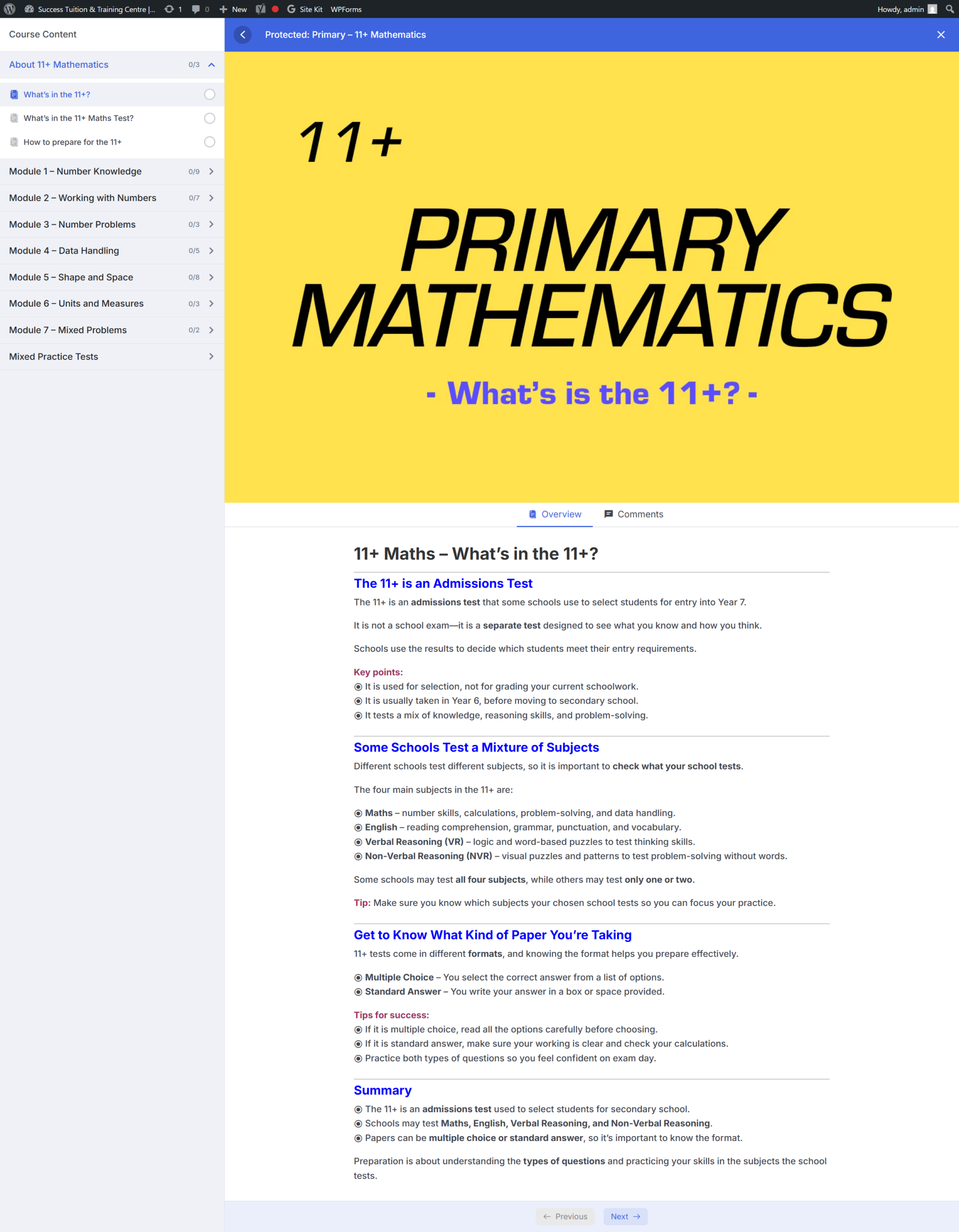
One of the main objectives of the project was to introduce a Learning Management System (LMS) so students could access course content online.

To achieve this, the website was built using WordPress with the Divi theme and Tutor LMS Pro. A lot of custom CSS was generated to give the site a more unique look in keeping with the branding.

This combination allowed the website to include a fully integrated online training platform, enabling the business to deliver structured digital courses alongside in‑person teaching.

Key LMS features included:

  • Course structure and lesson organisation
  • Video‑based lessons
  • Downloadable learning resources
  • Student access management

Dashboard

The dashboard is the control centre for both Teachers and Students and will look similar to that of below dependent on their access level. In the dashboard tutors can respond to students questions and keep and eye on their progress amongst other things. The dashboard is accessible via the front end of the website so that teachers and students never need to access the backend of the WordPress Dashboard.

online training website design

Supporting In‑Person Tuition with Online Resources

Although Success Tuition primarily delivers in‑person lessons, the new website allows those sessions to be recorded and added to the online learning platform.

This provides several benefits for students:

  • They can revisit lessons for revision
  • Students who miss a session can catch up online
  • Course resources are available in a central library

By combining physical teaching with digital resources, the website helps create a more flexible learning environment for students.

online training website design

Accessibility and Modern Web Standards

An important part of the redesign was ensuring that the website followed current accessibility standards, making it easier for all users to navigate and interact with the site.

This included improvements such as:

  • Clear page structure and navigation
  • Mobile‑friendly responsive design
  • Improved readability and layout
  • Transcripts on videos

These updates ensure the website is accessible to a wider audience while also aligning with modern web development standards.

Creating a Template for Future Projects

The Success Tuition website was designed not only as a platform for the tutoring centre, but also as a benchmark template for a future project called Success Computing.

Because the structure and functionality were carefully planned, the framework created for this website could be adapted for additional educational platforms in the future.

This approach helps ensure consistent branding and functionality across related businesses.

online training website design

My Role in This Project

For this project I was responsible for:

  • WordPress website design and development
  • Building the website using Divi
  • Implementing Tutor LMS Pro for online courses
  • Structuring the course and lesson system
  • Creating a modern and accessible website layout

Technologies Used

  • WordPress CMS
  • Divi Theme Builder
  • Tutor LMS Pro
  • Responsive website design
  • Online course platform
Have a project ? Call us Now
Get In Touch

Privacy Settings
We use cookies to enhance your experience while using our website. If you are using our Services via a browser you can restrict, block or remove cookies through your web browser settings. We also use content and scripts from third parties that may use tracking technologies. You can selectively provide your consent below to allow such third party embeds. For complete information about the cookies we use, data we collect and how we process them, please check our Privacy Policy
Youtube
Consent to display content from - Youtube
Vimeo
Consent to display content from - Vimeo
Google Maps
Consent to display content from - Google